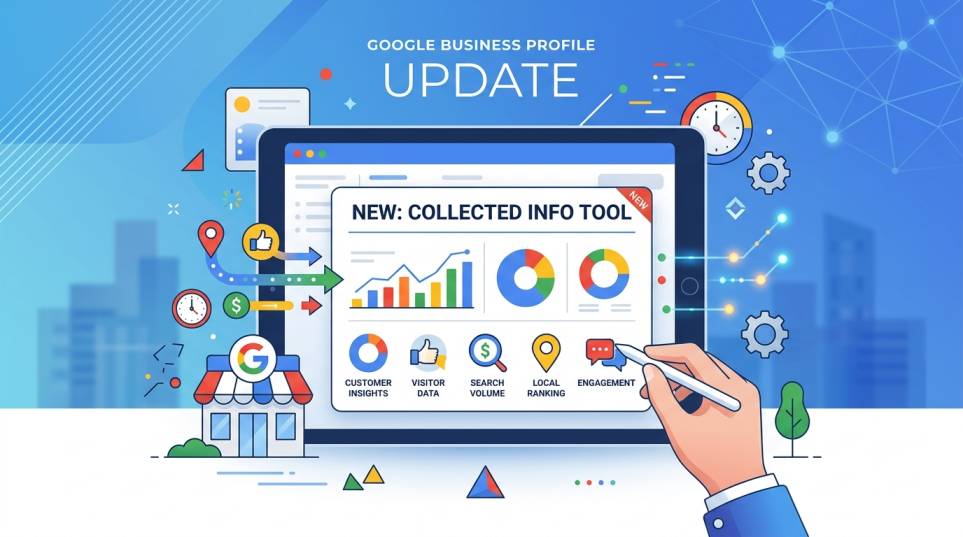
Google Business Profile Update Adds Collected Info Tool
Introduction
If you manage a Google Business Profile, Google just gave you a new reason to check your dashboard. A "Collected Info" section has started appearing inside the Business Profile editor, changing how business owners see, verify, and control the details Google gathers about them from the web. For anyone relying on Google My Business as part of their local SEO strategy, this update matters because profile accuracy directly affects whether your business shows up when nearby customers search.
Why Your Google Business Profile Data Suddenly Matters More
Most business owners assume that once they fill out their profile, the job is done. In reality, Google continuously gathers business information from the web, calls, texts, and even WhatsApp messages sent to the verified phone number on a profile. When that data quietly changes your listing, it can affect how your business appears in search and Maps. If incorrect information slips through, it can undo months of local SEO work. This update closes that gap by showing owners exactly what Google collected and where it came from.
What Is the "Collected Info" Feature
Collected Info is a new area inside the Google Business Profile "Edit profile" menu. Per Google's help documentation, it is designed to confirm business details and keep a profile updated and discoverable for customers. Google may reach out through automated calls, texts, or WhatsApp to verify information, then log any changes here for review. The rollout is gradual and currently limited to select regions, languages, and business categories, so not every account will see it yet.
Key Features of the Collected Info Update
Source Transparency: Owners can see exactly where a piece of data came from, whether a call, text, or other automated outreach, instead of an unexplained profile change.
Collection Date Tracking: Every update is timestamped, so owners can confirm when a data point was collected and cross-check it against their own records.
Reject or Confirm Controls: Inaccurate or unwanted information can now be rejected directly from the interface instead of silently going live.
Automated Verification Outreach: Google may proactively contact the verified phone number to confirm details, part of a broader push to keep Google My Business data fresh.
Gradual, Category-Based Rollout: Availability depends on region, language, and business category, so some owners may need to wait.
Benefits of Staying on Top of This Update
Monitoring Collected Info protects the accuracy your entire local SEO presence depends on. Since profile accuracy directly influences Local Pack and Maps rankings, catching an incorrect auto update early prevents ranking dips before they happen. It also builds trust with Google, since an actively managed profile is treated as more reliable than one left on autopilot. For businesses focused on organic growth, this kind of proactive management compounds over time, feeding into the same signals that drive local visibility.
Collected Info vs. Manual Profile Management
|
Aspect |
Collected Info (New) |
Manual Management |
|
Data Source |
Google gathered via web, calls, texts |
Owner enters directly |
|
Visibility |
Source and date shown before final |
Owner already knows the entries. |
|
Control |
Confirm or reject in the dashboard. |
Full control by default |
|
Risk |
Inaccurate data if unchecked |
Human error if neglected |
|
Best For |
A Google verified data layer |
Full manual accuracy |
Who Should Pay Attention
This matters for any business depending on an accurate Google Business Profile to be found locally: retail stores, restaurants, clinics, salons, home service providers, law firms, real estate agents, and service area businesses without a storefront. If your listing has ever shown a detail you didn't enter, this section explains why and lets you fix it before it hurts local SEO performance.
How BMax Digital Helps
At BMax Digital, keeping your Google Business Profile accurate is a standing part of our local SEO management. That includes routinely checking dashboards for auto-collected changes, correcting or rejecting inaccurate data before it damages rankings, and pairing that with citation consistency, review management, and locally relevant content. As Google leans further into automated data collection, active monitoring becomes even more valuable for protecting the organic growth you've already earned.
Case Study
A retail client's Google Business Profile began showing altered business hours nobody on their team had entered. Using the same review process we apply to Collected Info, we traced the change, confirmed it didn't match actual hours, and corrected it before it could confuse customers or dent local visibility. The fix took minutes once flagged, but without monitoring, it could have gone unnoticed for months.
Conclusion
Google's new Collected Info section is small but meaningful for local SEO. As Google My Business listings increasingly update themselves, owners who actively monitor and correct their Google Business Profile will protect the accuracy driving organic growth, while those who ignore it risk letting unverified changes work against them. If you want a team actively watching your profile, get in touch with BMax Digital to get started.
FAQs
1. What is the Collected Info section?
A new area showing business details Google gathered from the web, calls, or texts, with source and date.
2. Is it available for every profile?
No, rollout is limited to select regions, languages, and categories.
3. Can I reject added information?
Yes, directly from the management interface.
4. Does this affect local SEO rankings?
Yes, since profile accuracy is a core local ranking factor.
5. How often should I check?
Monthly is a reasonable baseline, more often for fast-changing businesses.









Leave a Comment